
How Academia Works
The documentation should follow the real frontend and backend flow.
The best product docs do not describe an abstract system. They explain how tenants, roles, workflows, and interfaces move together from first setup through student group formation, proposal work, and final defense.
01
Set up tenant-aware academic operations
Departments, campuses, and institutions enter through a tenant-aware frontend backed by authentication, RBAC, and isolated API context.
- Frontend middleware forwards tenant context for dashboard routing
- Backend tenant modules and guards enforce data isolation
- Role-aware onboarding supports department heads, coordinators, advisors, students, and evaluators
02
Run project work from group formation to milestone delivery
Student groups, advisor workflows, document templates, milestone submissions, and review queues stay connected across the UI and API.
- Project lifecycle starts with group leader approval and official group formation before proposal intake begins
- Frontend dashboards expose role-specific queues and progress summaries
- Backend project, milestone, document, and communication modules power the flow
03
Coordinate review, analytics, and defense readiness
Evaluation pipelines, defense scheduling, notifications, analytics, and reporting turn documentation into operational visibility.
- Coordinator and evaluator workspaces support scheduling and score submission
- Backend analytics, notification, and queue services keep everyone aligned
- Documentation becomes more valuable when it mirrors these real operating flows
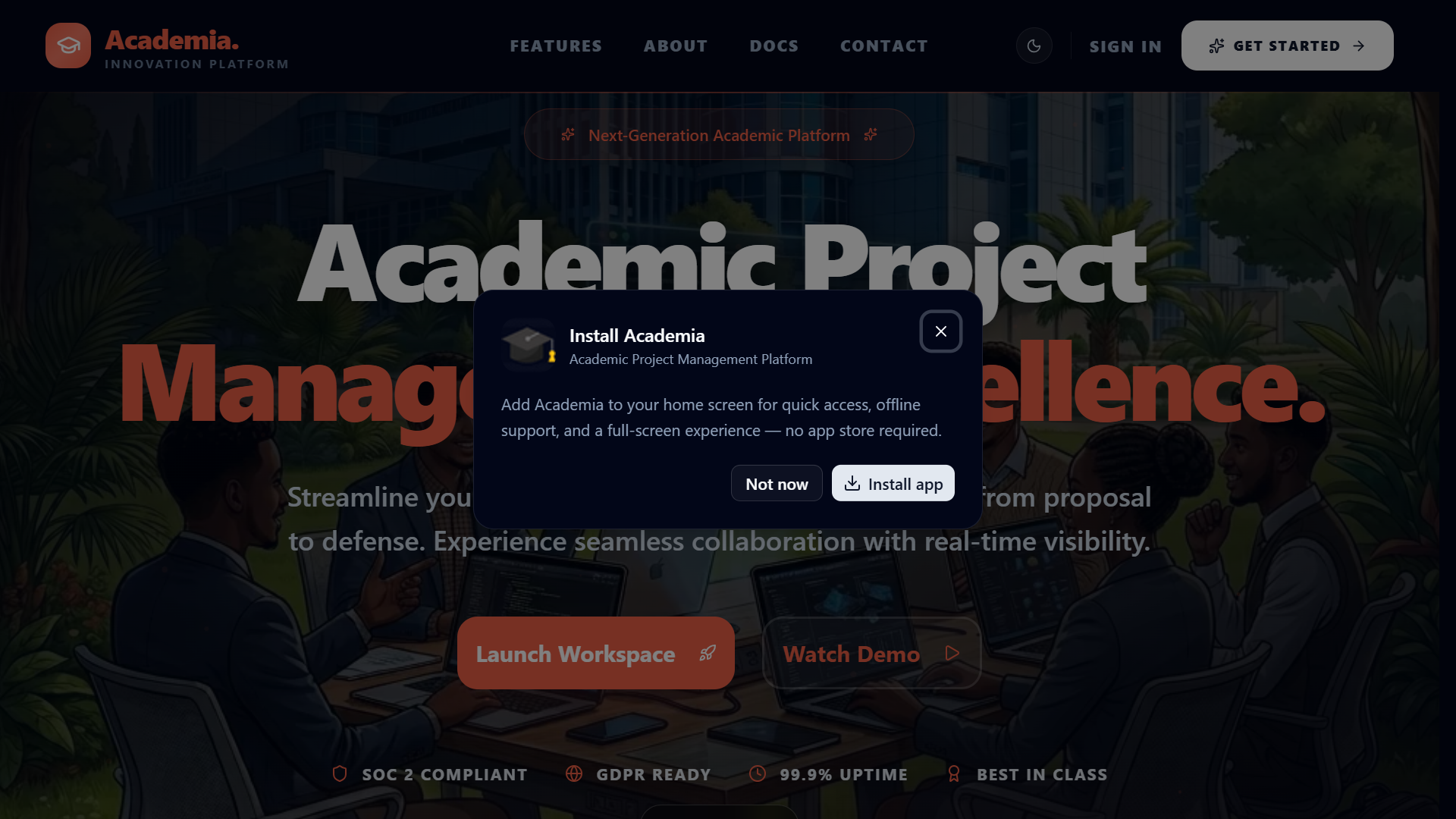

Landing and platform entry
The public-facing entry point sets expectations for institutions evaluating the platform.
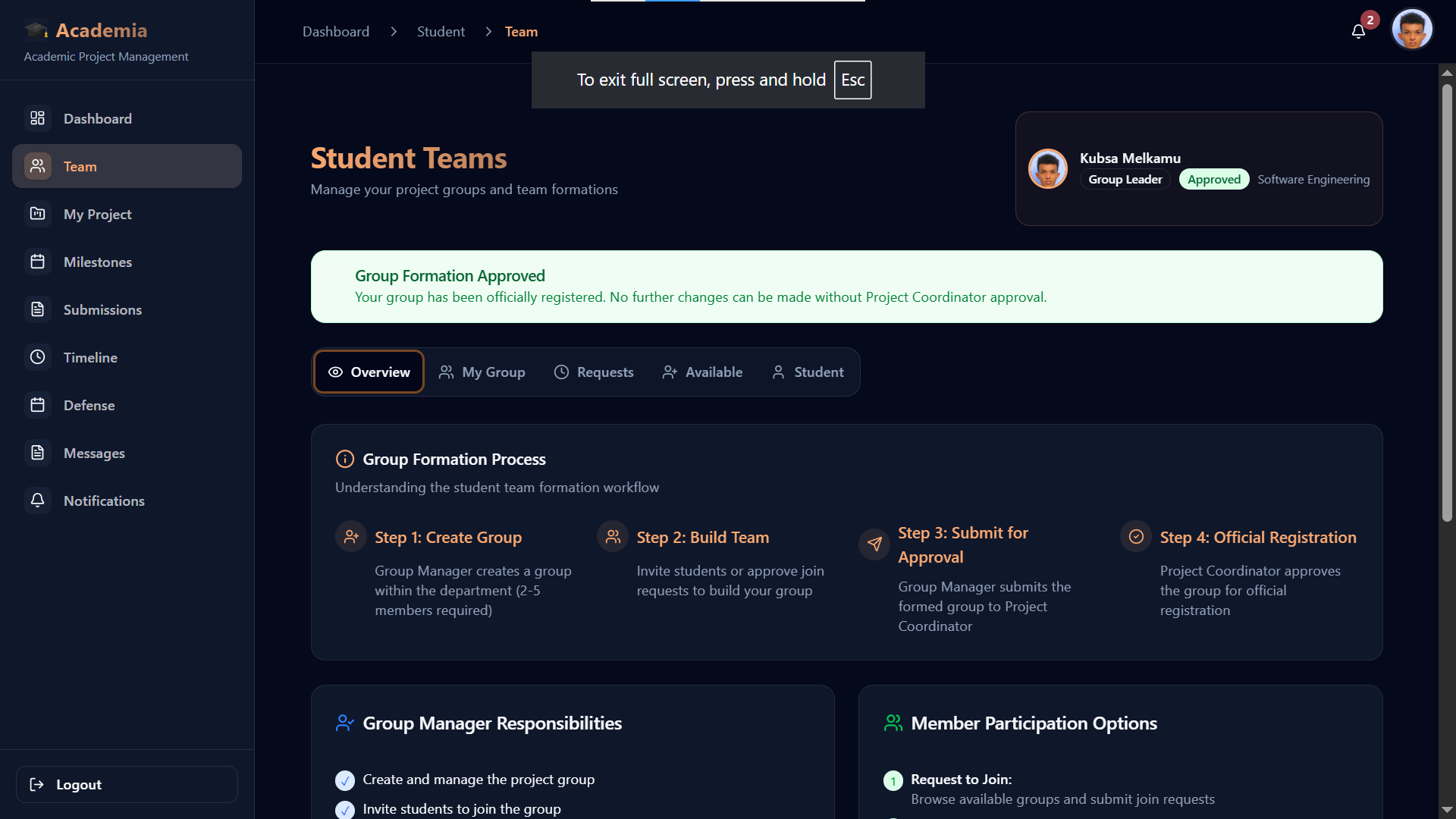
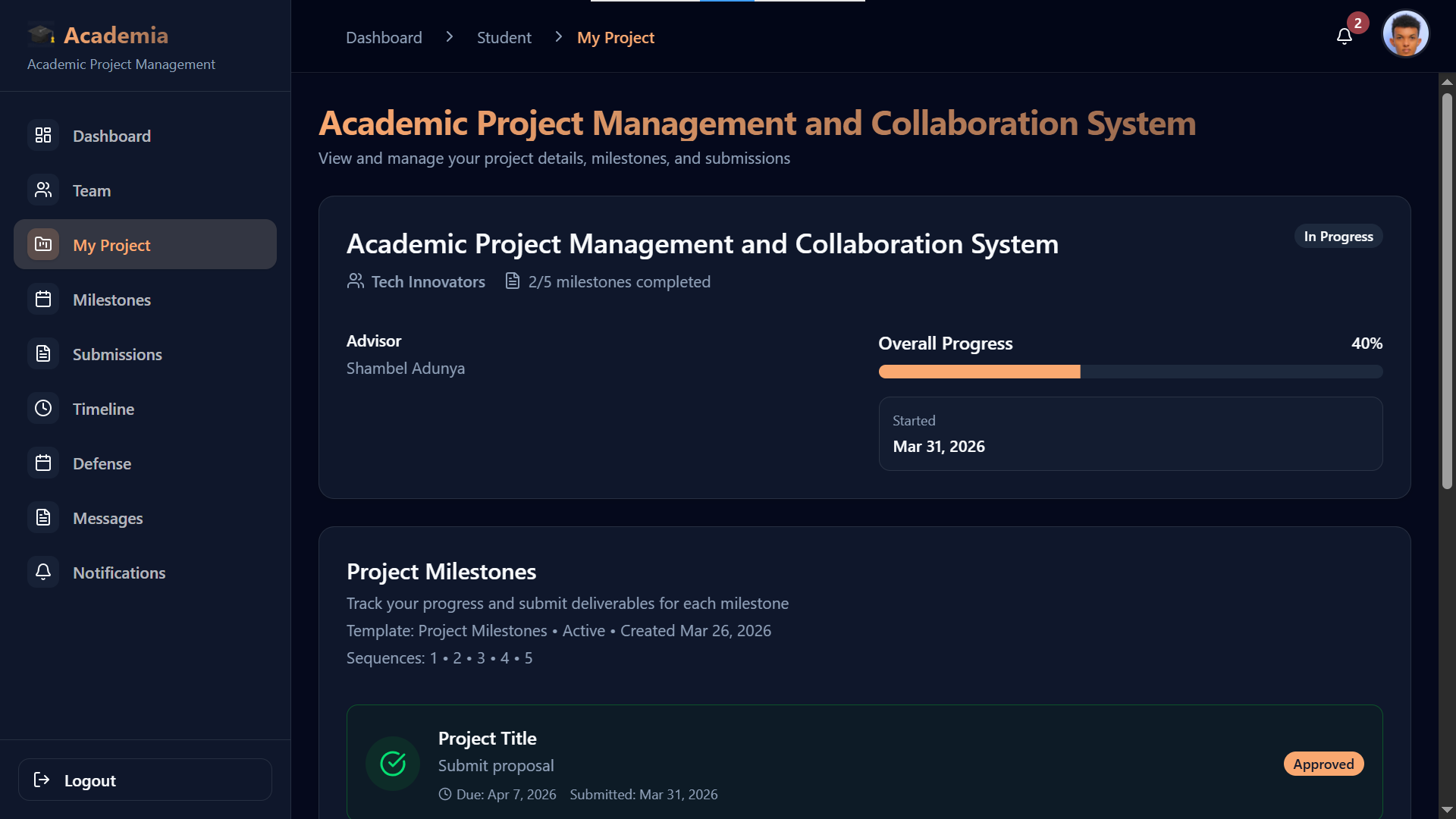
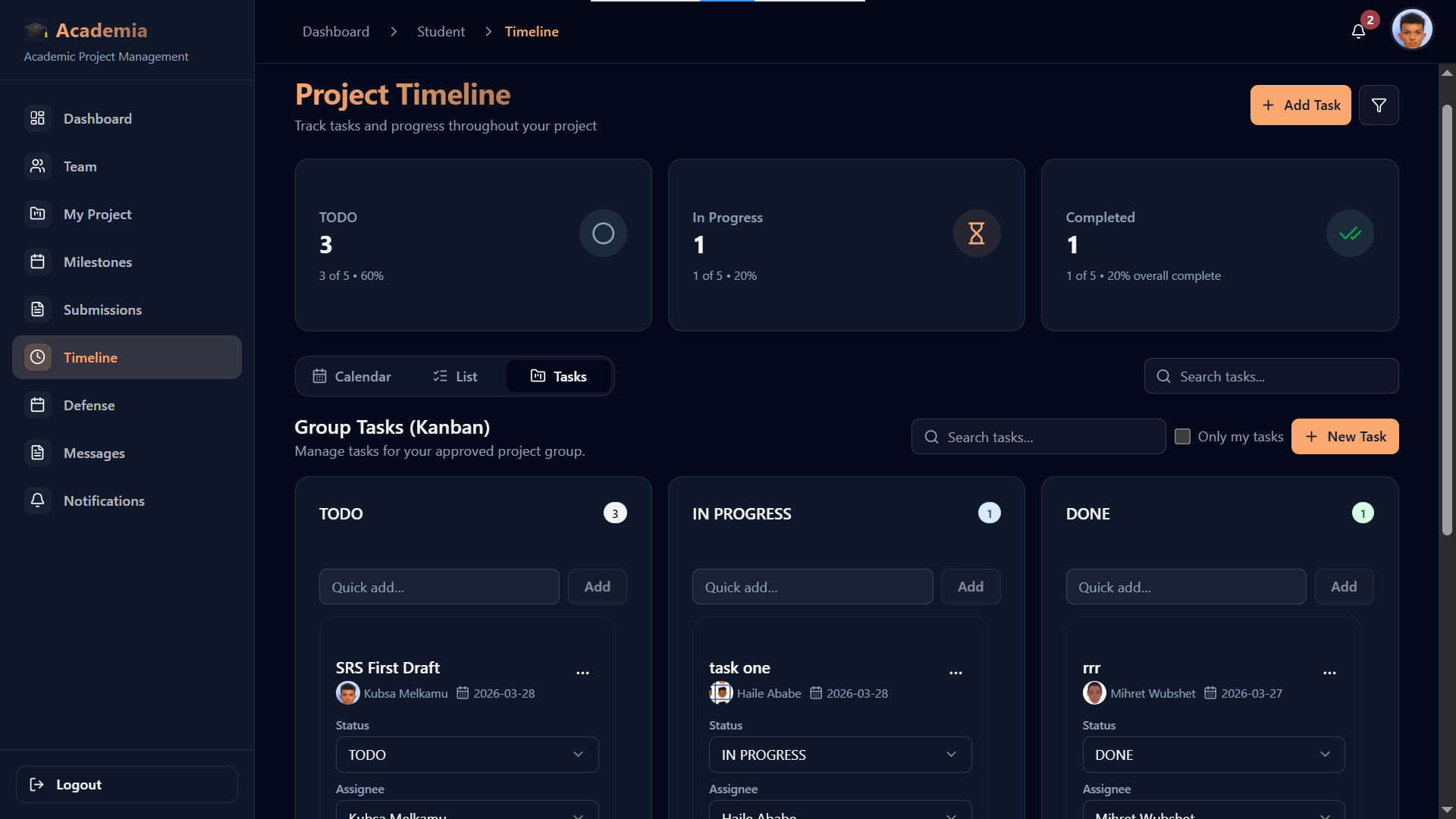
Student workspace
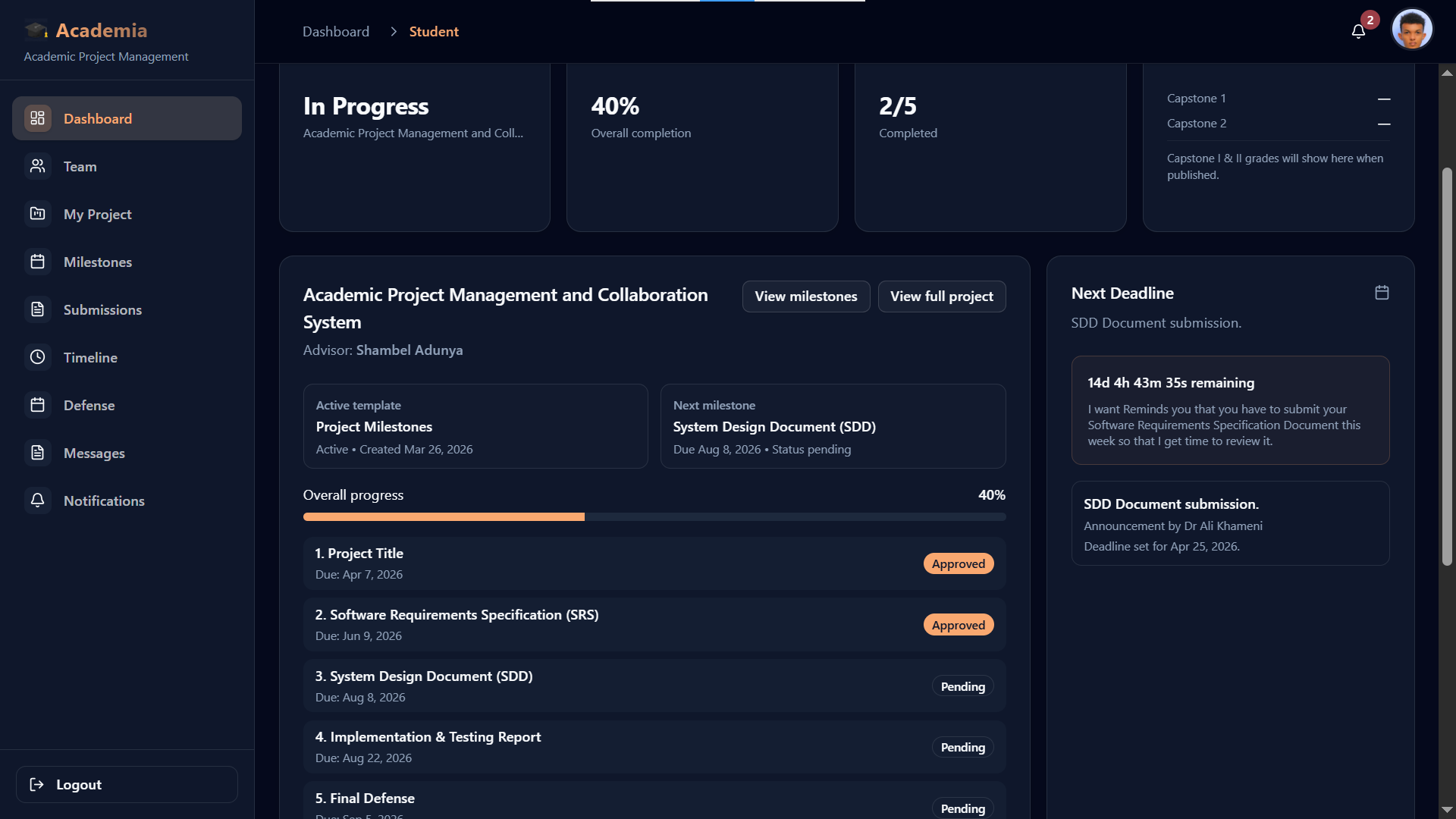
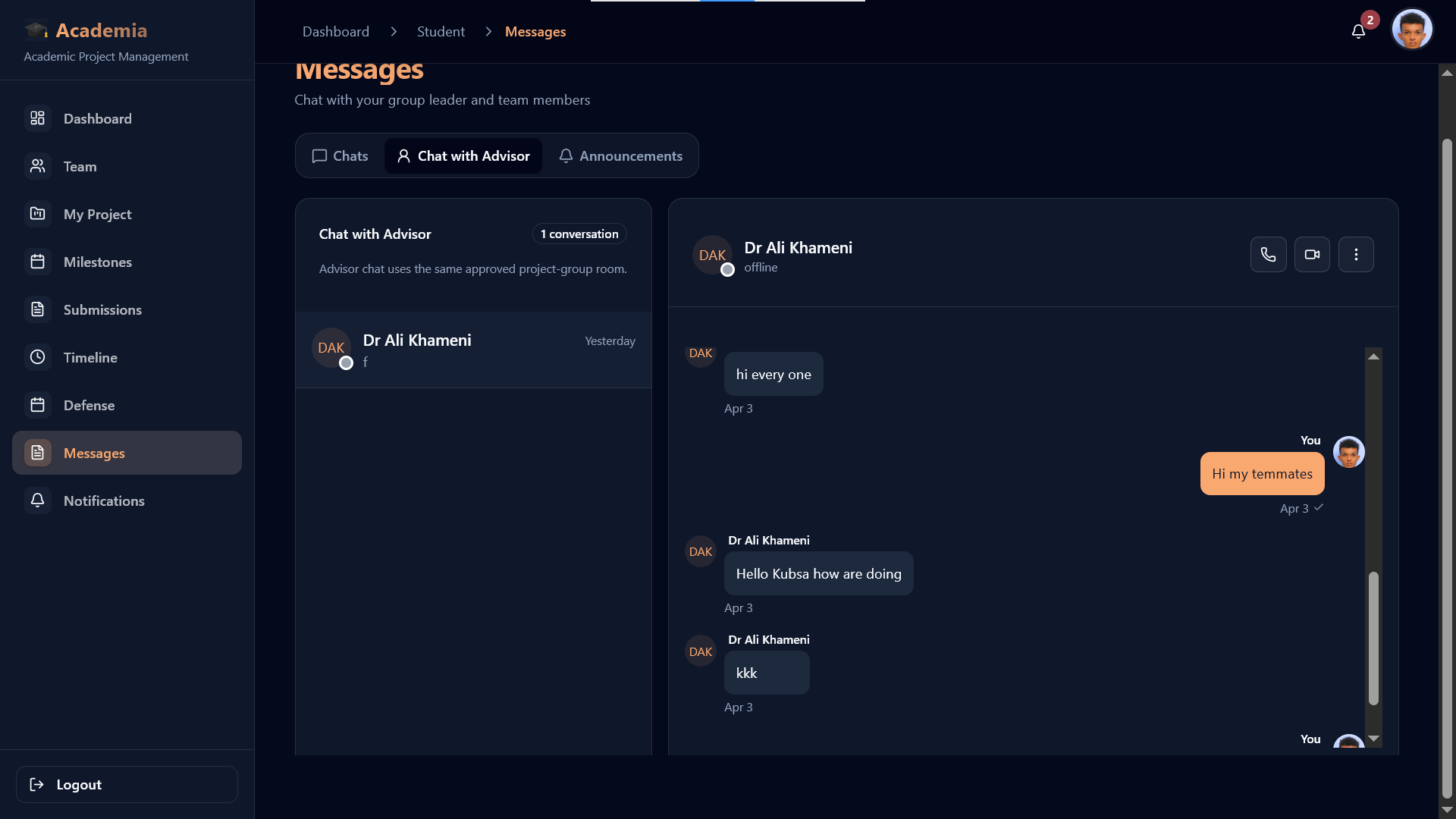
Students manage project submissions, milestone files, and advisor-facing progress from one workspace.
Coordinator operations
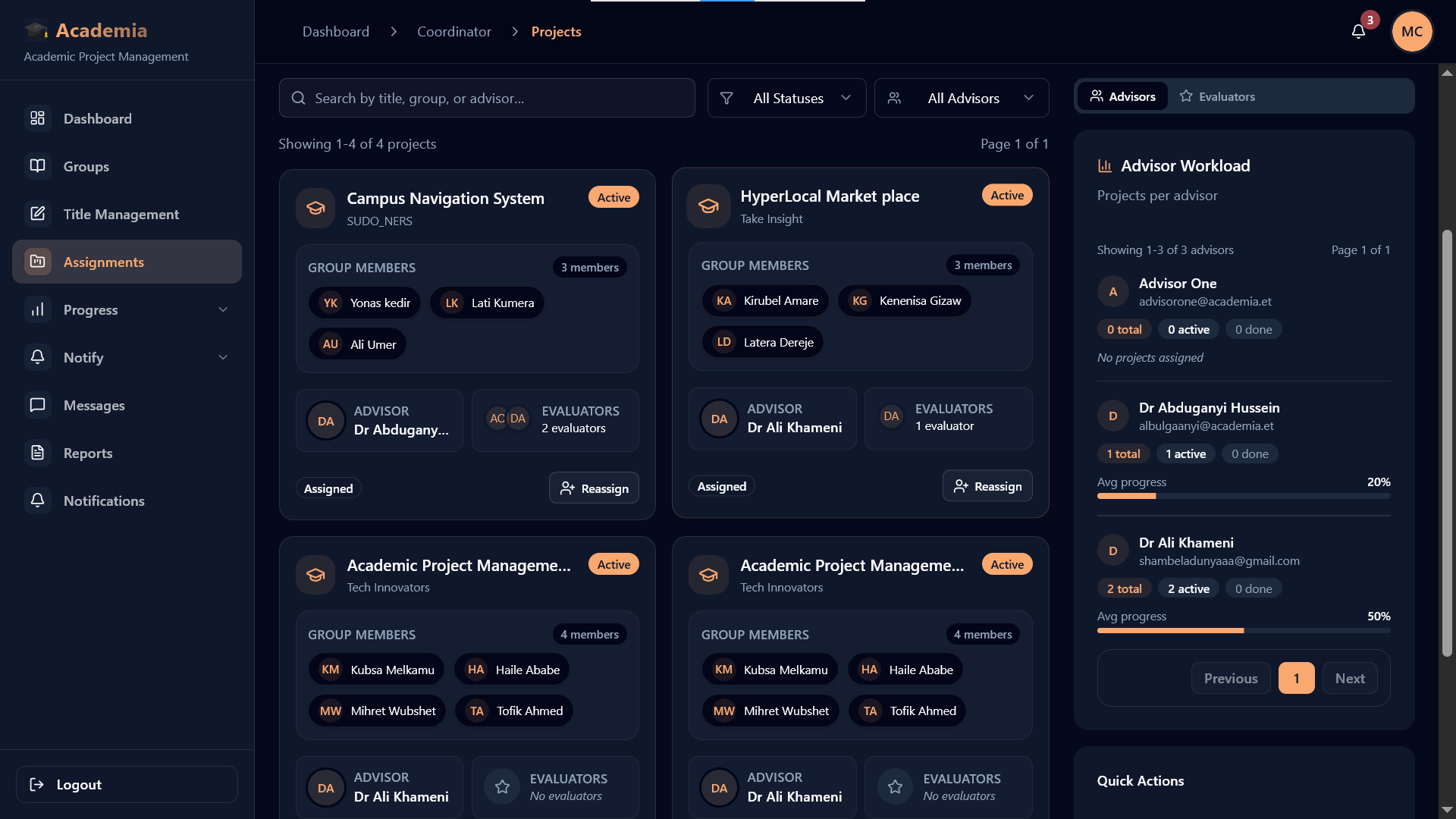
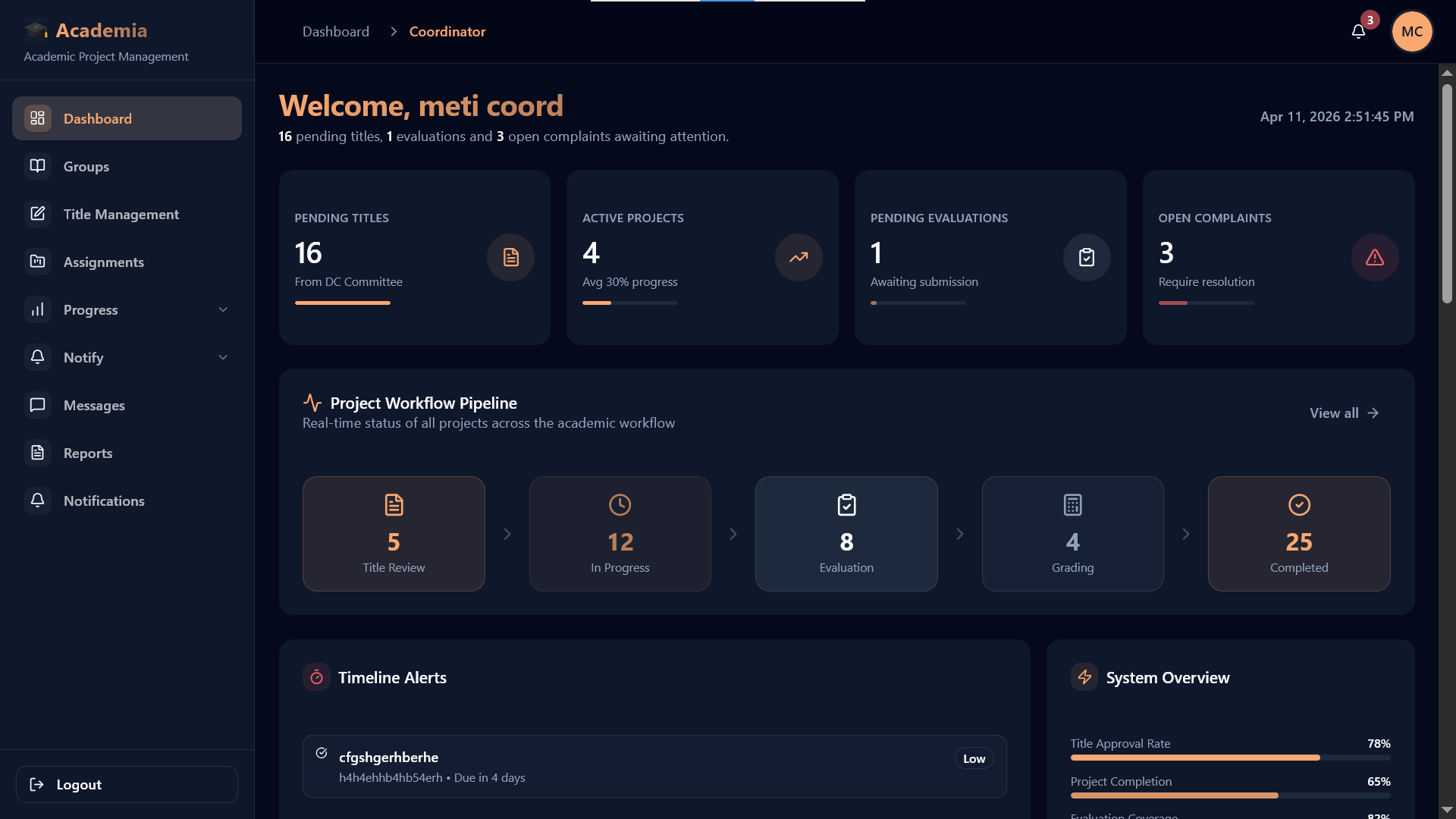
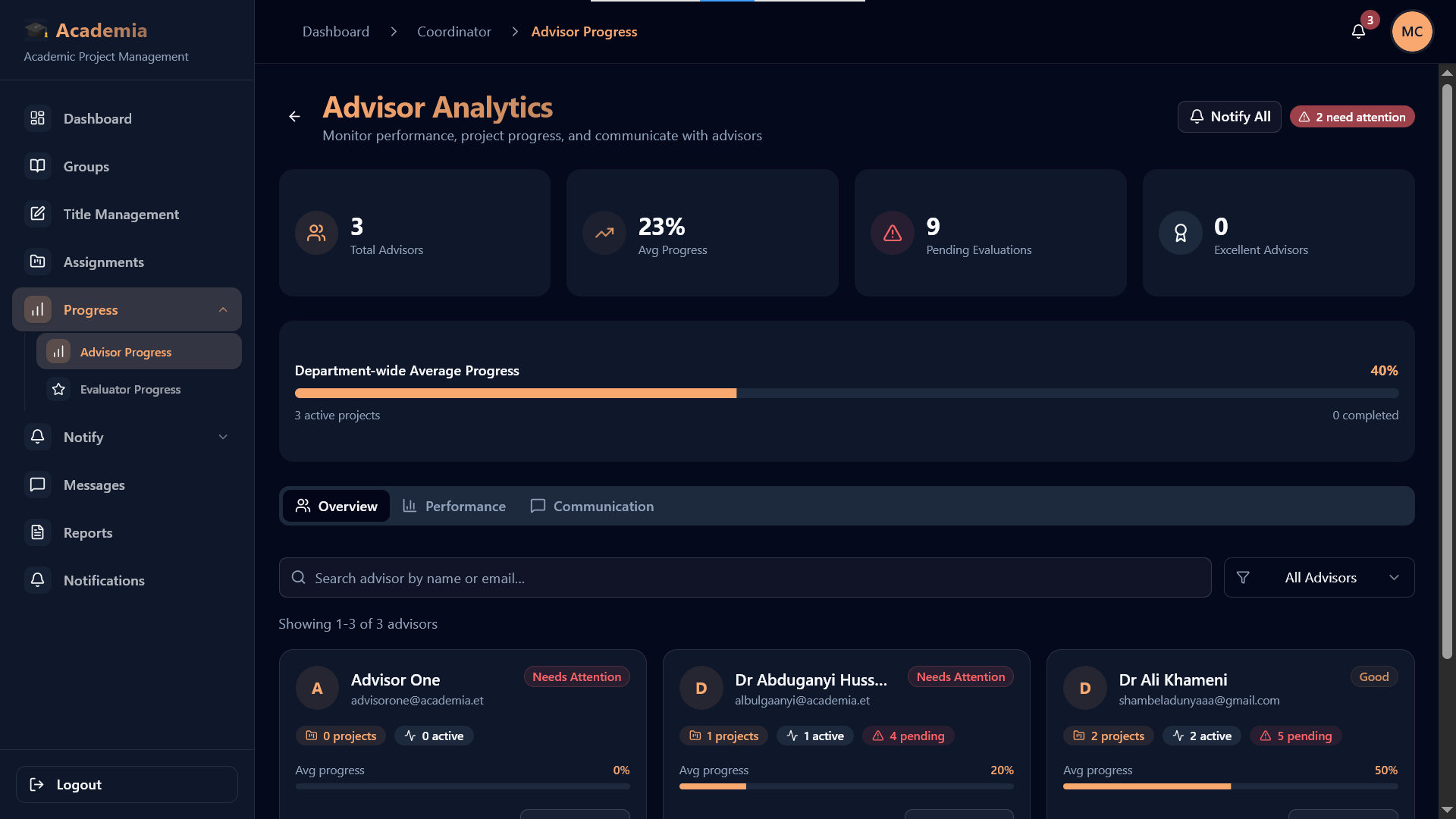
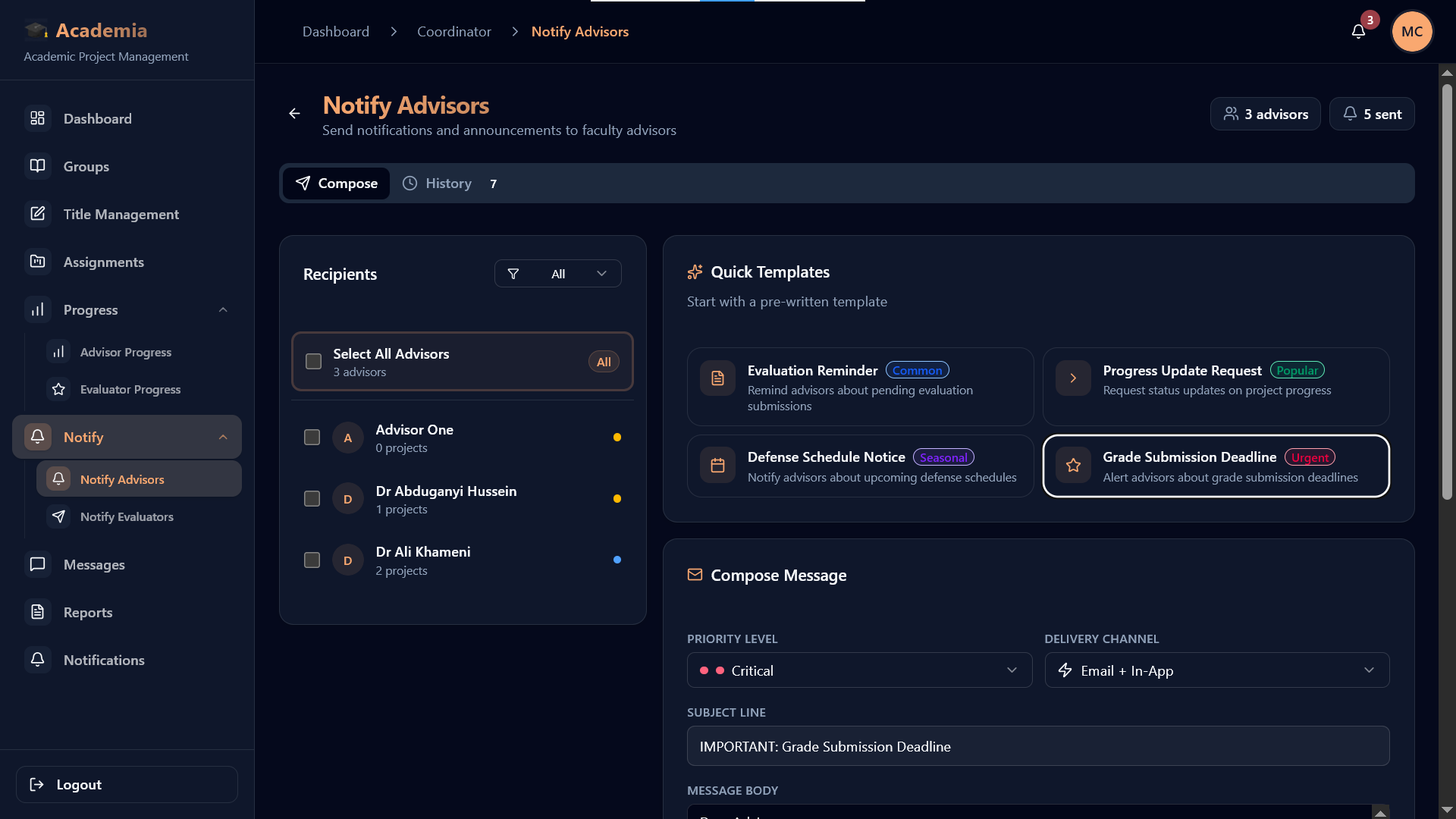
Coordinators track assignment health, scheduling, and academic workflow readiness across departments.
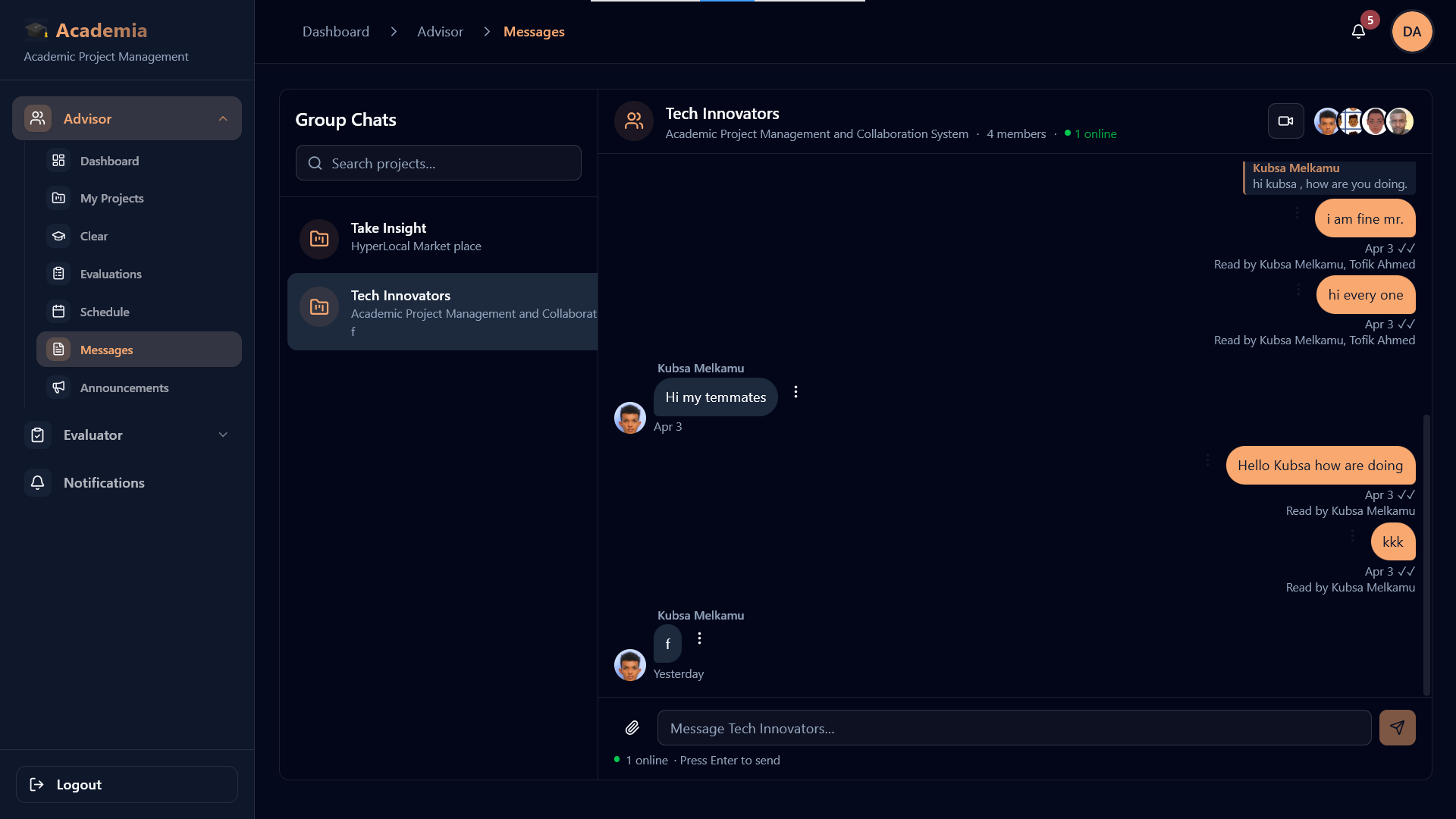
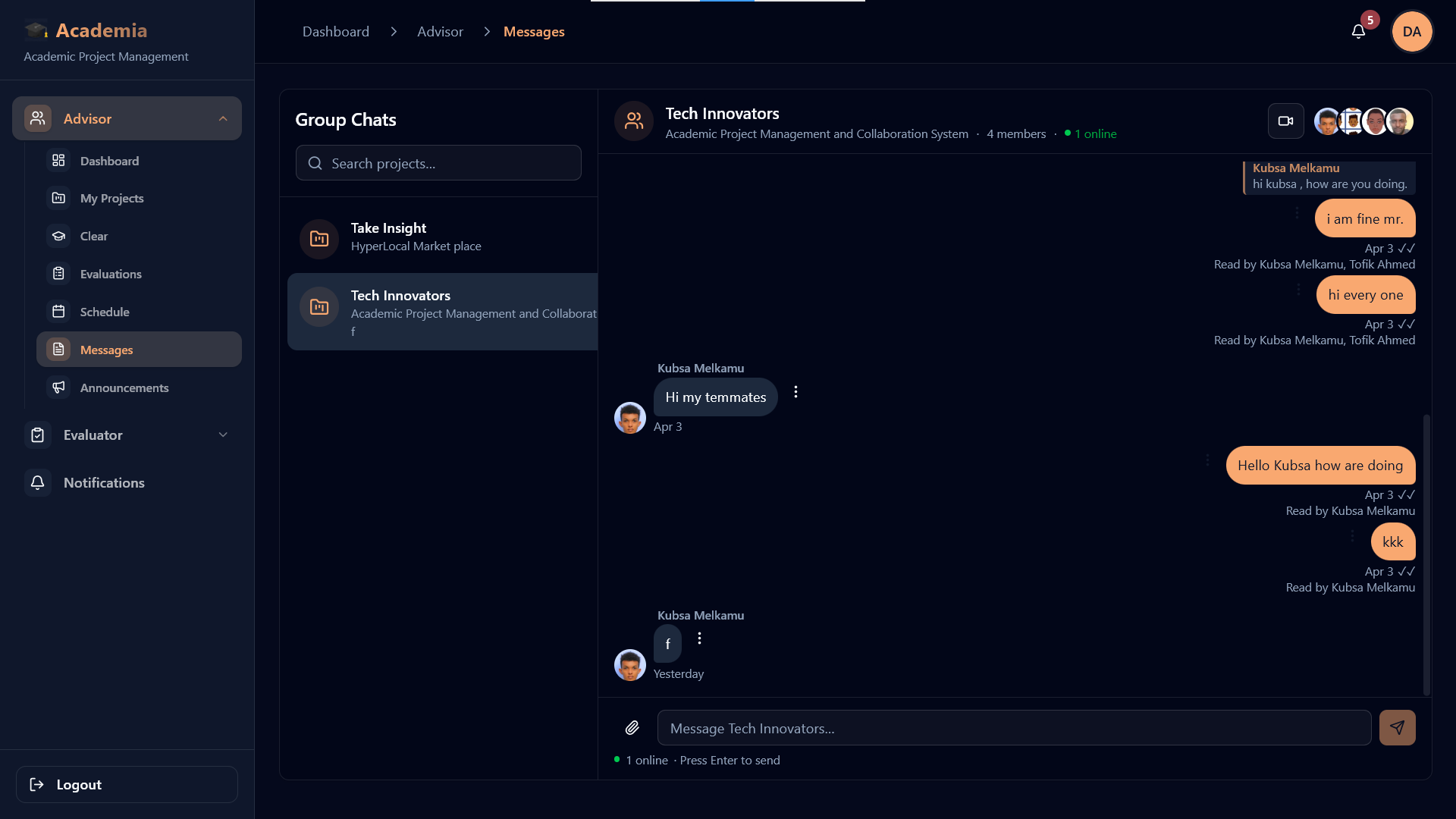
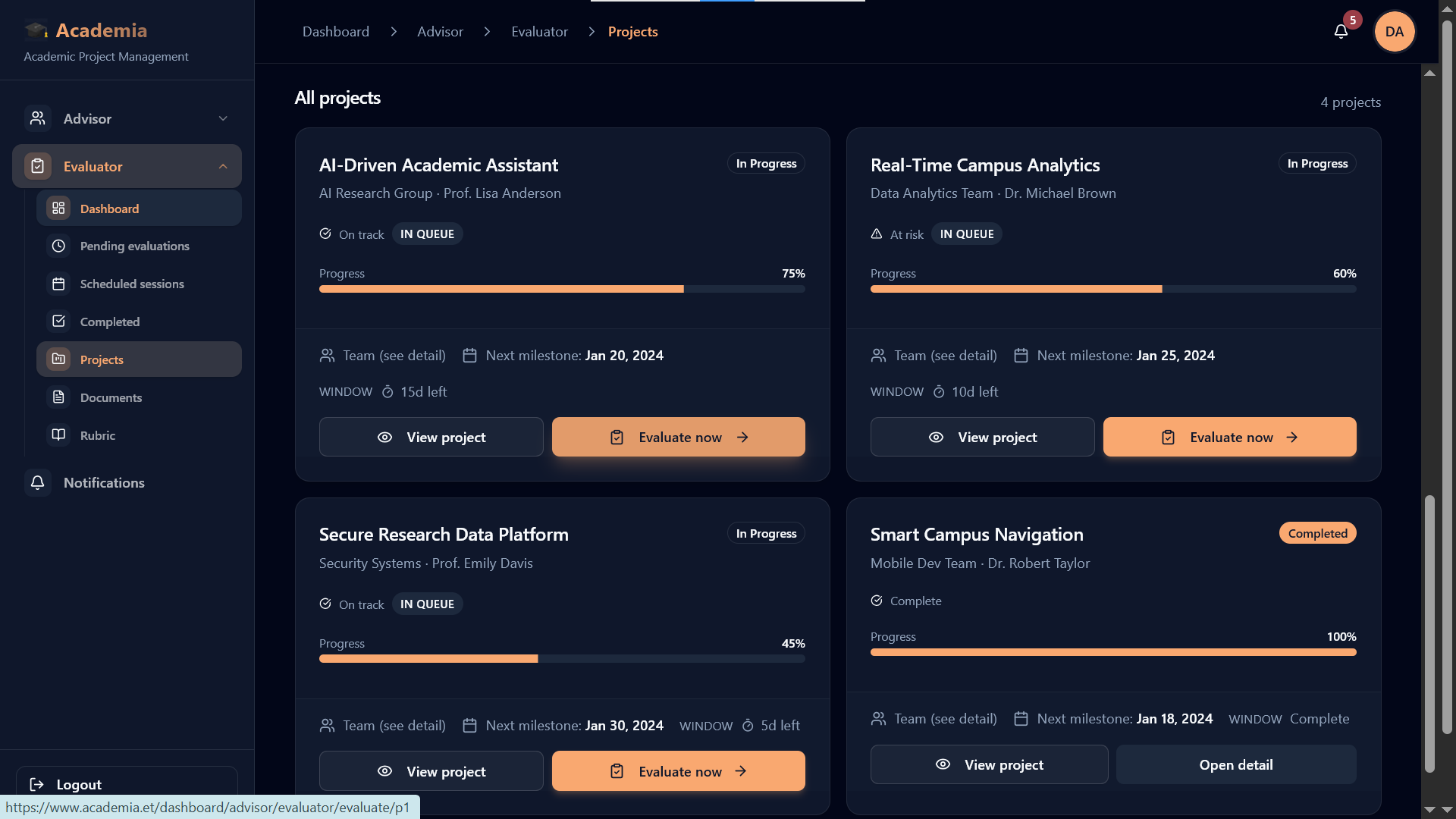
Advisor and evaluator dashboards
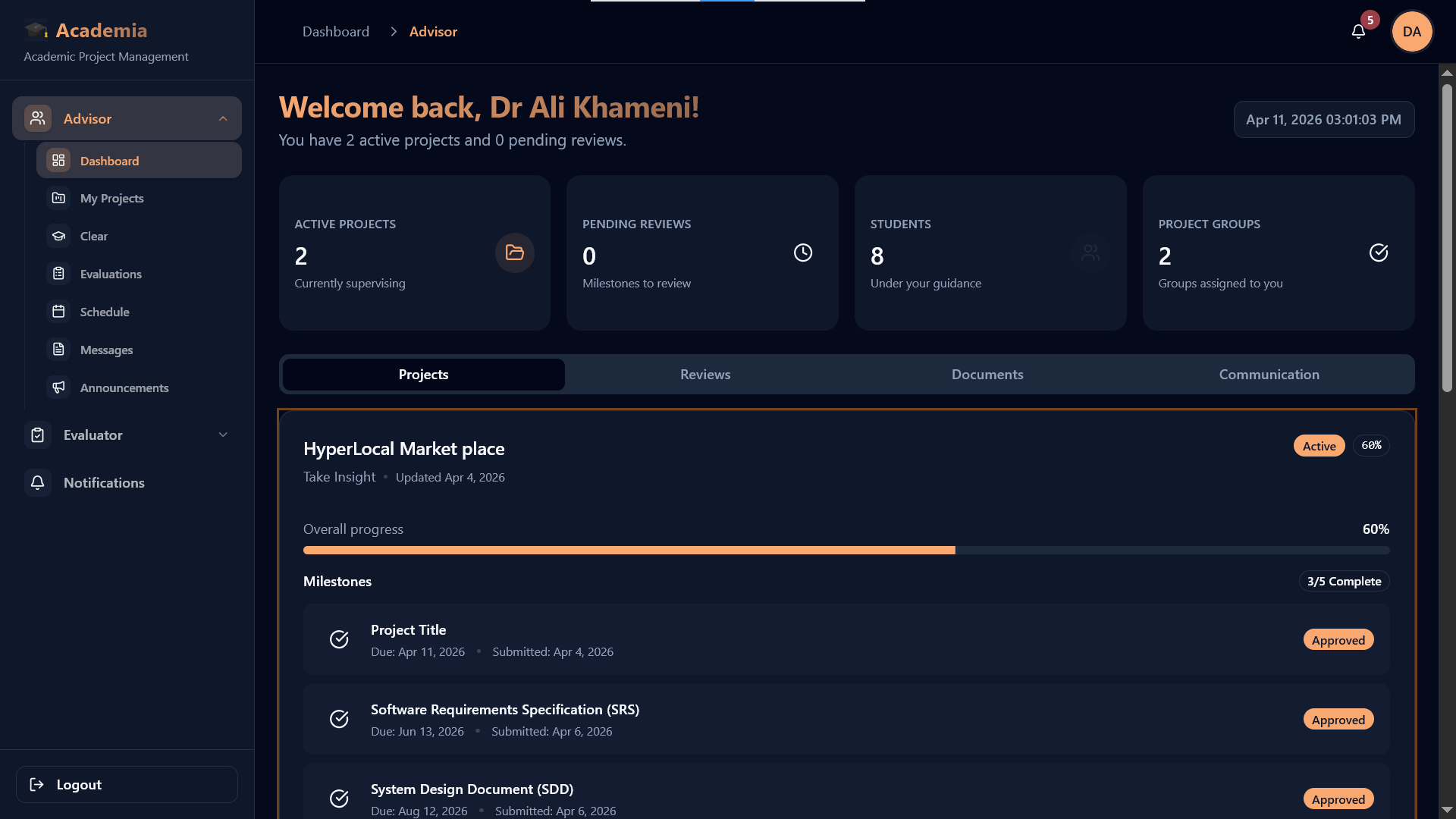
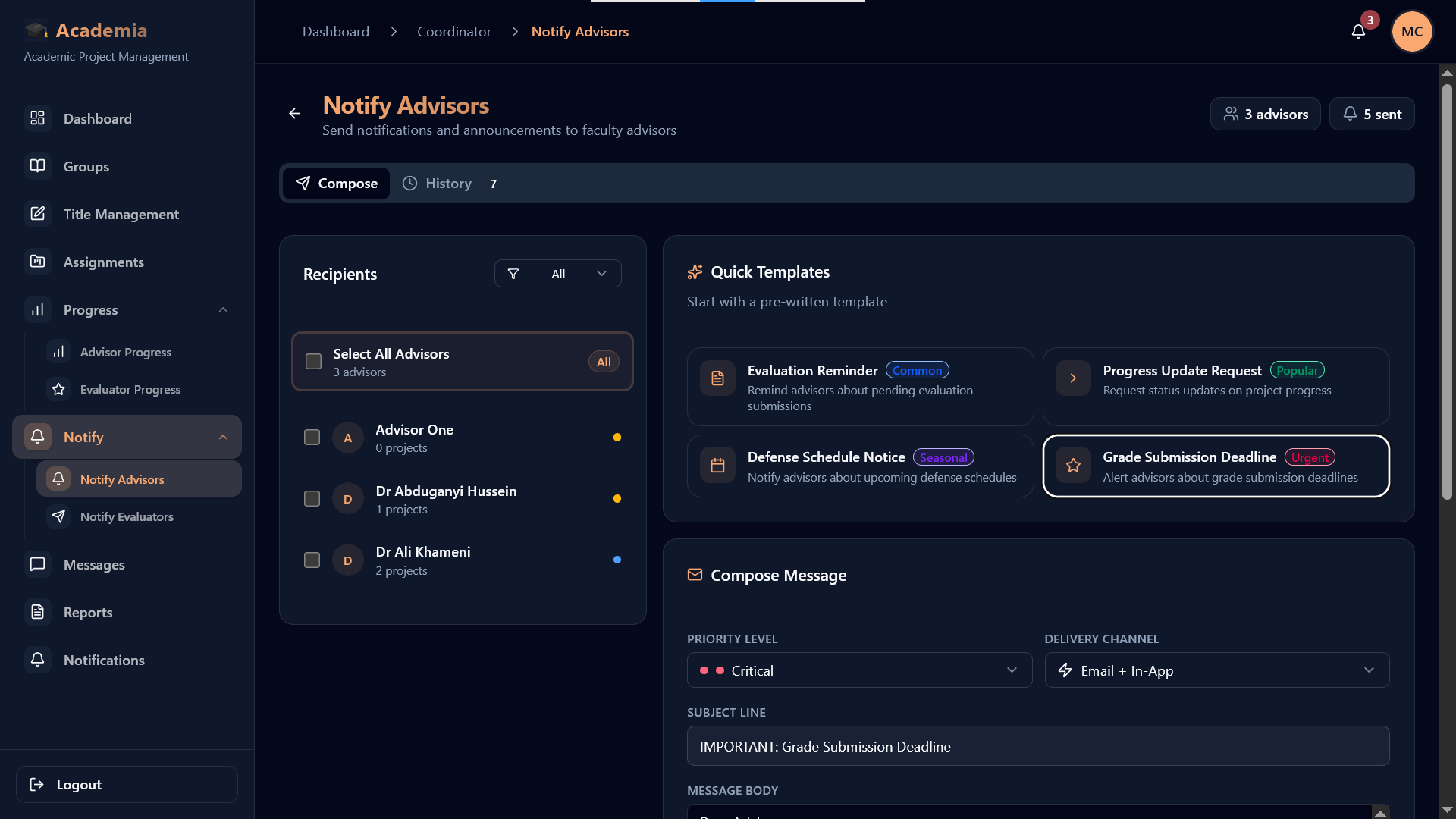
Review queues, evaluation actions, documents, and defense preparation stay visible for academic staff.
Navigate the docs by intent
The homepage should help people reach the right guide fast, whether they are onboarding a department, tracing the workflow, or working on the product itself.
Start with platform orientation
These pages help new readers understand what Academia is, how departments onboard, and how the system is structured.
- EntryWelcomeStart with the docs entry point and understand the overall scope.
- Getting startedOverviewSee the real product shape, stack, roles, and system direction.
- OnboardingOnboarding and first setupFollow the department-head-first setup flow and invitation sequence.
- Trust modelInstitution verification and tenant statusUnderstand verification states, tenant health, and what first-run readiness really means.
- AccessInvitations and first accessTrace the full invitation lifecycle from send, resend, and revoke through acceptance and forced password change.
- Setup controlsDepartment settings, templates, and group rulesSee how phases, templates, and group-size rules shape the rest of the academic workflow.
- SystemArchitectureUnderstand how the frontend, backend, roles, and workflow layers connect.
Follow the operational workflow
These guides map the real academic flow from group formation through proposal review, milestones, evaluation, defense, and department oversight.
- LifecycleProject lifecycleUse the full stage-by-stage map from setup through final defense.
- Early stageStudent group formation and approvalStart with the real early student flow: become a group leader, form a group, and reach official approval.
- Deep diveProposal review and approvalGo deep on proposal upload after approved group formation, then follow review, approval, and project creation.
- Deep diveMilestone delivery and advisor reviewSee upload, feedback, resubmission, approval, and sequential milestone control.
- Late stageEvaluation and defense workflowTrace evaluator scoring, defense scheduling, and student readiness in the late stage.
- OperationsStaff oversight and assignmentUnderstand coordinator and department-head control over assignment and readiness health.
- CommunicationAnnouncements, notifications, and communicationFollow how announcements, workflow events, messages, and realtime updates keep departments aligned.
- RolesRoles and dashboardsUse the role map to understand where each user enters and what each workspace owns.
Jump in by role
Use these role guides when you already know the audience you are writing for or onboarding into the platform.
- RoleDepartment headStart with department activation, governance, invitations, and first-run readiness.
- RoleCoordinatorFollow proposal movement, assignment control, and late-stage operational readiness.
- RoleAdvisorGo directly into supervision, milestone review, and feedback-driven project improvement.
- RoleStudentOpen the main workflow journey from group formation through milestones, evaluation readiness, and defense preparation.
- RoleEvaluatorTrace assigned-project review, rubric scoring, and defense-stage participation.
- RoleCommittee memberOpen the committee-facing defense and final-review guide for late-stage participation.
Developer references
These pages are for contributors and integrators who need environment, API, and tenant context rather than product flow.
- DevelopersEnvironment and APIReview environment variables, API access patterns, and integration behavior.
- IdentityAuth, session, and tenant bootstrapFollow the login, session refresh, tenant context, and role-routing sequence after authentication.
- Platform coreMulti-tenancyUnderstand how tenant-aware routing and department isolation are handled.
- Backend mapBackend modules, realtime, and notificationsSee the main backend service families behind workflow events, sockets, push, and communication.
Follow the strongest documentation paths
These docs track the Academia platform and the open-source client. These entry points take readers into the most complete documentation journeys first, including the full student path from group formation to final defense.
Role-based workspaces
Dashboards and navigation tailored for department heads, coordinators, advisors, students, and evaluators.
Read more→Workflow deep dives
Move from student group formation into proposal review, milestone delivery, evaluation, defense, and the real operating flow.
Read more→Staff oversight layer
Coordinator and department-head guides explain assignment health, evaluator progress, and operational monitoring.
Read more→Student Journey
Open student flowTrack the real path from first approval to final defense
The student experience does not begin at proposal upload. The docs now reflect the actual platform order, starting with group leadership and official group approval.
Group leader request
A student starts by requesting or receiving approval to lead a project group.
Group formation and approval
Members join, the group is submitted, and academic staff approve it for official work.
Proposal and milestones
Approved groups move into proposal submission, milestone delivery, and advisor review cycles.
Evaluation readiness
Students prepare documents, clear reviews, and meet the conditions for formal evaluation.
Final defense
Committees, schedules, and final presentation steps converge in the defense stage.
Staff Lifecycle
Make staff ownership as visible as the student path
Students move through the workflow, but staff keep it valid, reviewed, staffed, and ready for final assessment. This summary makes coordinator and advisor responsibilities easier to spot from the homepage.
Department activation and governance
Own onboarding, approvals, staffing coverage, and the policy layer that keeps academic operations valid.
Operational flow control
Keep group approvals, proposal review, assignments, evaluator progress, and defense readiness moving without hidden delays.
Supervision and milestone review
Guide active projects, review milestone submissions, and turn student work into steady progress through feedback loops.
Formal scoring and defense review
Enter at the late stage with assigned projects, rubric-based scoring, and defense-session participation.